AI Settings
AI is optional in locali. The hub works fully without it — keyword tags and routing rules run independently of any AI. Whoever enables AI extends locali with semantic search, the "Ask locali" assistant, and a few convenience features.
Roles: hub admins only
The AI configuration (providers, switches, connection tests) is entirely reserved for admins — instance moderators have no access here.
The configuration lives under Governance → AI and is split into two hubs that can be set up independently of each other and in any order:
- Semantic search & recommendations — everything around embeddings (meaning-based search, recommendations, semantic routing).
- Ask locali & writing help — everything around the language model (LLM) (the assistant and writing aids).
On top of that there is a third area, Knowledge gaps, which shows where the hub is missing content.
The AI master switch
Above both hubs sits a single master switch (Global AI). It is the emergency stop:
- Off → all AI features are disabled, regardless of what is set individually.
- On → the individual features take effect, provided their prerequisites are met.
When you switch it off, all saved settings are preserved — you can switch back on at any time without reconfiguring.
Switches are never greyed out
No switch is "locked" just because a prerequisite is missing. You may always set your intent; alongside it locali shows the one most important open item (e.g. "An embedding provider is missing"). Whether a feature actually takes effect is decided by the hub based on the prerequisites met — not by the order of your clicks.
Hub: Semantic search & recommendations
This hub configures the embedding model (embeddings) — a model that converts text into numerical vectors so that content-level similarities between questions and content can be recognised.
Provider & model
The embedding provider, model, dimension, and API key are set by the operator at deploy time via the environment (the hub's environment variables) — they are shown here read-only, not editable. This is deliberate: changing the embedding model re-embeds the entire corpus (different models produce vectors that are not comparable), which is a migration, not a setting. A model change therefore goes through the environment + a redeploy, not a dropdown in the hub.
| Field | Description |
|---|---|
| Provider | Set by the operator (e.g. OpenAI or Ollama) — read-only |
| Model | Set by the operator, e.g. text-embedding-3-small (OpenAI) or nomic-embed-text (Ollama) — read-only |
| Dimension | Set by the operator (e.g. 1536) — read-only |
Features
| Feature | Effect |
|---|---|
| Indexing | Builds/updates the semantic index across all content (prerequisite for everything else). |
| Hub-wide semantic search | Meaning-based search across the whole hub. |
| Space-scoped semantic search | Meaning-based search within a space. |
| Personalisation | Recommendation ranking in the feed. |
| Semantic routing | Assigns new content to matching spaces/areas by meaning — in addition to manual rules. |
For semantic routing there is a threshold slider (minimum similarity; default 0.72). Higher = stricter (fewer, more accurate assignments), lower = more generous.
The indexing tools (check coverage, re-index, reprocess) only appear once an embedding provider is set up and indexing is switched on.
Technical prerequisite: pgvector
Embeddings are stored in the database. This requires the PostgreSQL extension pgvector to be active — it is already included in the standard Docker Compose configuration.
Retrieval fine-tuning
Controls how closely content must match a question before Ask locali and smart search use it as a source. These thresholds apply across the whole hub and are visible to hub admins only. Three sliders each set a minimum similarity:
| Slider | Effect |
|---|---|
| Posts | The lowest match a post may have to still be used as a source. Higher = stricter. |
| Organisations | The minimum match at which an organisation is suggested as a source. |
| Places | The minimum match at which a place is suggested as a source. |
The defaults are tuned per embedding provider: OpenAI separates related from unrelated content clearly (lower thresholds suffice), whereas local models such as Ollama push the whole corpus into a narrow high-similarity band and therefore need higher starting points. The active provider is shown at the top of the section.
Calibrate measures — with a fixed probe set — how well the current provider tells on-topic from off-topic content apart (the separation) and suggests matching thresholds. A high value means clear separation; near zero the provider barely separates content and results are unreliable. Apply suggestion loads the suggested values into the sliders — they only take effect once you Save, which applies the setting for every user. Reset to defaults discards all customisations and restores the provider defaults.
Experiment first, then commit
To experiment risk-free, use the fine-tuning panel under "Ask locali" (similarity / number of results): it affects only your own query, not the whole hub. Once you have found a good value, set it here as the hub default and save.
When the best matching source only just clears the threshold, Ask locali marks the answer with a subtle low-confidence hint — visible to all users.
Hub: Ask locali & writing help
This hub configures the language model (LLM) and the features built on top of it.
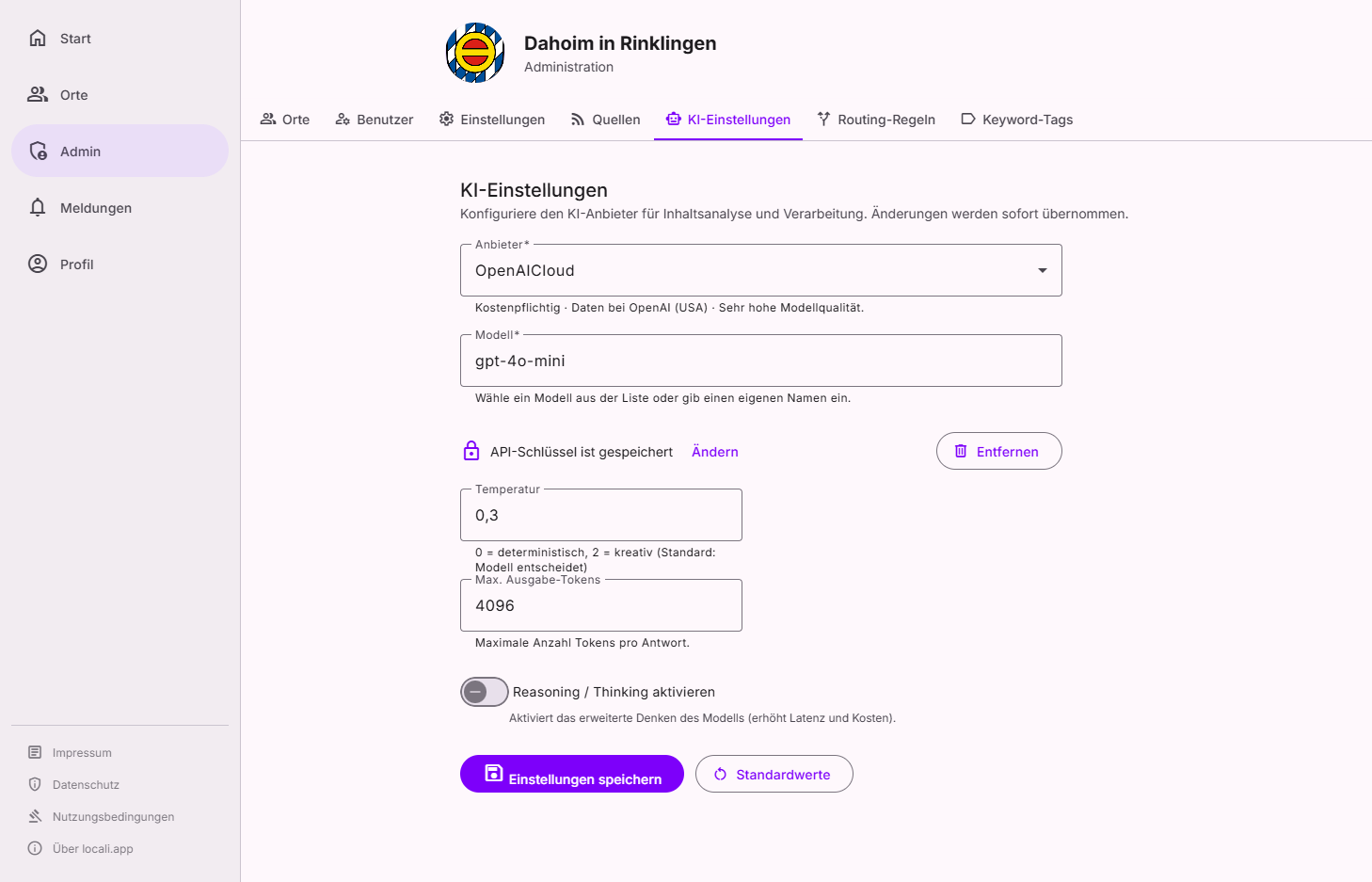
The language model's provider, API endpoint, and API key are set by the operator at deploy time via the environment — in the hub they are shown read-only. The model is the only setting switchable at runtime: you pick it from the operator-defined allow-list (a default model plus optional additional ones). There is deliberately no free-text model field.
| Field | Description |
|---|---|
| Provider | Set by the operator (e.g. OpenAI or Ollama) — read-only |
| API endpoint | Set by the operator (with Ollama local, e.g. http://localhost:11434) — read-only |
| API key | Set by the operator via the environment — not shown/editable in the hub |
| Model | Selectable at runtime from the configured allow-list, e.g. gpt-4o-mini, qwen2.5:3b |
Model parameters
| Field | Description |
|---|---|
| Temperature | Creativity/randomness (0 = deterministic; default 0.3) |
| Max. output tokens | Maximum response length (default 4096) |
| Reasoning / Thinking | Extended reasoning steps on supported models |
| Ollama Context Length | Context window for Ollama (Ollama only) |
Features
| Feature | Effect |
|---|---|
| Ask locali (assistant) | The Q&A feature for members — questions in plain language, answers with sources. |
| Hub-wide / space-scoped | Separate switches for whether the assistant is available hub-wide and/or within spaces. |
| Translate questions automatically | Translates questions asked in other languages into German before search, so "Ask locali" can match questions asked in other languages against the German-language content. Costs one extra model call per question; enabled by default. |
| Entity recognition | Recognises names and references in text for better indexing. |
| Writing aids | Phrasing help — switchable per area (Administration, Space, Organisation). |
"Ask locali" needs both: LLM and embeddings
The assistant answers questions from real sources (the "RAG" method). For this both families must be active — language model and embeddings. If the embeddings are missing, locali deliberately sets the assistant to "not available" instead of inventing a source-less answer. If the assistant is on but semantic search is not yet, the hub shows exactly this hint — without blocking you.
Test the connection
Both hubs offer a Test button. It runs a real test run against the configured provider (embedding or chat) and shows success or failure, the response time, the provider/model actually used, and the raw response — or the provider's honest error message (a rate limit gets its own hint). Nothing is stored in the process; the test is only for checking.
Provider overview
Which provider (and which keys) the hub uses is decided by the operator at deploy time via the environment — not at runtime in the hub. This overview is guidance for that decision.
| Provider | Requirement | Best for |
|---|---|---|
| Ollama | Locally running Ollama instance, no key | Data-sovereign operation without an external AI service (default) |
| OpenAI | API key from openai.com | Simple cloud integration |
| Azure OpenAI | Azure resource + API key | Azure environment with data-residency requirements |
| Google Gemini | API key from Google AI Studio | Flexible cloud use within the Google ecosystem |
| Cohere | API key from cohere.com | NLP specialist models & embeddings |
| Mistral AI | API key from mistral.ai | European provider, EU data processing depending on setup |
Knowledge gaps
Questions that "Ask locali" could not give a solid answer to (because matching content was missing) are collected under Governance → AI → Knowledge gaps. This is not an error log but a map of missing content: it shows you which sources to add or which topics you should cover better.
Frequently asked questions
| Question | Answer |
|---|---|
| Do I have to set up both hubs? | No. Both are independent and can be set up in any order. Only "Ask locali" needs both families (LLM and embeddings). |
| Do settings get lost when I switch off the master switch? | No — all saved settings are preserved; you can switch back on at any time without reconfiguring. |
| Why is a switch on but the feature has no effect? | A prerequisite is still missing — e.g. the operator has not yet set the corresponding provider/key via the environment. locali shows the most important open item next to the switch. |
| Why can't I change the provider and key here? | The provider, API keys, and the embedding model/dimension are set by the operator at deploy time via the environment (12-factor secrets). The only runtime choice is the LLM model, from the configured allow-list. |
| Does the test button store anything? | No — the test only runs a trial against the provider and shows the result. |
Mind the costs
Cloud AI generates API costs depending on the provider and usage volume. With a lot of content or frequent queries, a look at the provider's billing is worthwhile.
Review data protection and contracts
As soon as external AI providers are used, content or questions may leave your own infrastructure. Operators must review and take responsibility for provider, region, contracts, and legal basis themselves. For data-sovereign operation: use Ollama locally.
Fallback without AI
Without a configured AI provider, content is imported completely normally — just without AI enrichment. Keyword tags and routing rules work fully independently.