Spaces
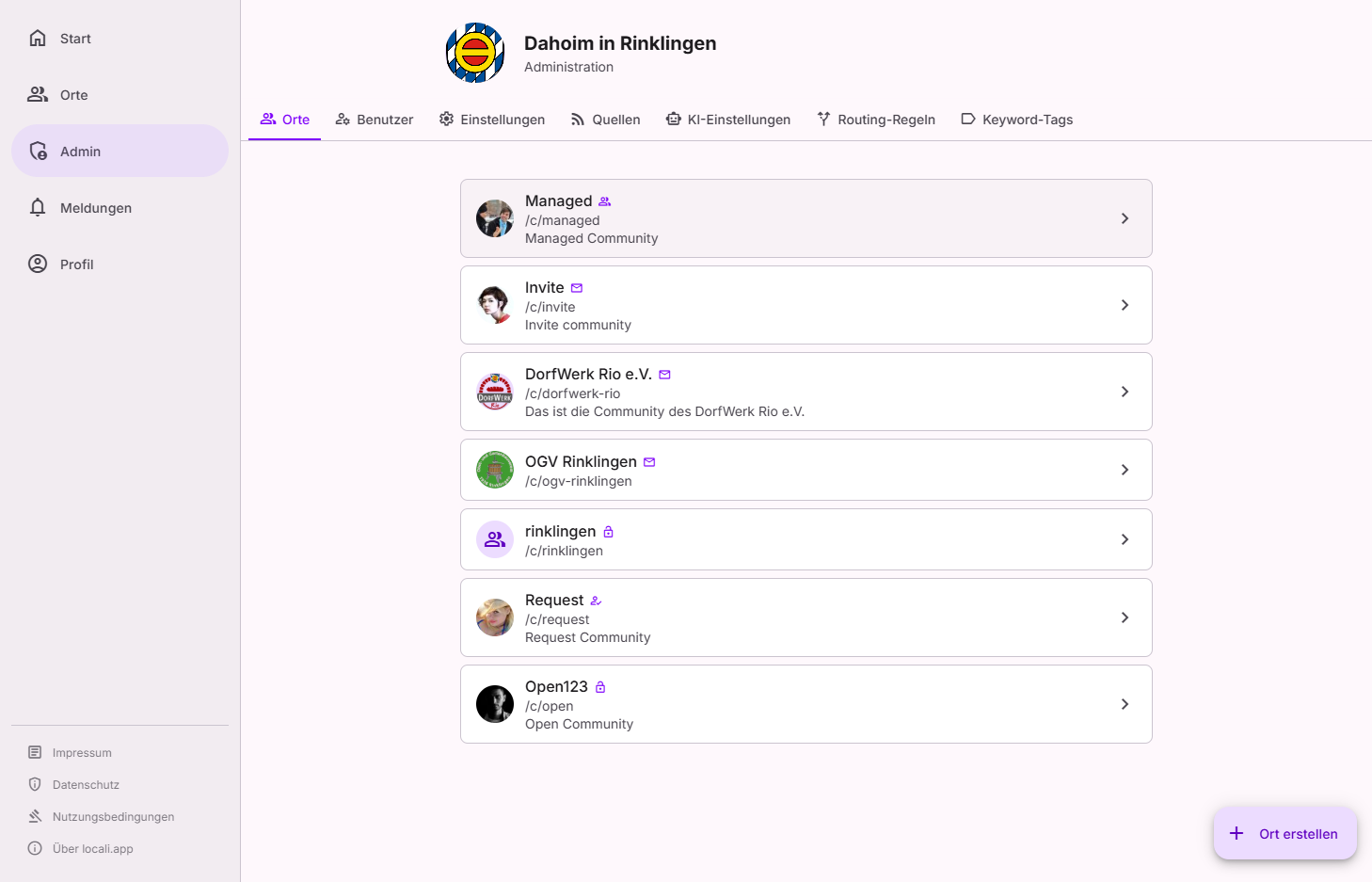
A space (shown as "Raum" in the German UI) is the central content area in locali – each space has its own feed, calendar, and member circle. The Governance → Spaces page is the operator's view of them: it lists all spaces of the hub – including those not publicly listed (join mode "Invite" or "Managed") and the archived ones – and bundles the governance actions that deliberately do not live inside the space itself: lifecycle and owner assignment.
Roles: hub admins only
Space governance (the all-spaces overview, creating, archiving/reactivating, owner assignment) is reserved for admins — instance moderators have no access here. Roles inside a space (owners, space moderators) are independent of this.
The overview
Above the list you filter via facet chips (All · Active · Archived) and a search bar. Clicking a space opens the detail panel with the matching actions. Two markers help you prioritise:
- Archived – the space is retired (the row appears dimmed).
- No owners – the space currently has no responsible person; here you step in as hub admin (see Space settings).
Creating a new space
First spaces? Set them up guided
As long as the hub has no active space yet, this page offers two paths: "Geführt einrichten (empfohlen)" (guided setup, recommended) opens the space setup assistant, which builds several spaces plus routing vocabulary from districts and topics in one go — "Direkt anlegen" (create directly) starts the three-step dialog below. Once spaces exist, the assistant stays reachable via the governance hub.
Click "+ Create space" in the bottom right. Creation is a three-step wizard, so that every consequential decision is explained where it is made:
| Step | Fields | Good to know |
|---|---|---|
| ① Identity | Name, description | The space's display name; the description appears in the profile and overviews. |
| ② Address | URL slug | The permanent web address (/spaces/<slug>). Lowercase letters, digits, hyphens only; checked live for availability and pre-filled from the name. Cannot be changed after creation. |
| ③ Access | Join mode | Open (anyone joins immediately), Request (you approve each person), or Invite (only with an 8-character code). |
After creation you land directly in the new space (/spaces/<slug>), where the remaining
setup happens – logo, areas, sources (see Space settings and the
how-to guides).
Join mode "Managed"
The wizard only offers Open, Request, and Invite at creation. The fourth mode
Managed (admins add members directly, no self-join) is set afterwards inside the space
under Manage → Settings.
Actions and their effect
Depending on its state, a space's detail panel offers these actions:
| Action | Effect |
|---|---|
| Open workspace | Opens the space itself; day-to-day management (content, members, settings, routing) happens there. |
| Assign owners | Appoints a person as an owner of the space (up to 3 per space). Only existing accounts can be selected. |
| Archive | Retires an active space: it becomes read-only and its sources are paused. Memberships are preserved. Reversible at any time. |
| Reactivate | Makes an archived space active again and re-enables its sources. |
| Delete permanently | Removes an archived space and all its data irreversibly. Only possible from the "Archived" state – deletion is deliberately a two-step process (archive first, then delete). |
Frequently asked questions
| Question | Answer |
|---|---|
| Do members still see an archived space? | The space is retired and read-only; no new content arrives. Memberships remain, so after reactivation everything is back. |
| Can I delete a space directly? | No — deletion requires the "Archived" state. This way there is always a reversible intermediate stage before data disappears for good. |
| Why can't I change the slug? | The slug is the space's public address (/spaces/<slug>). Changing it would break existing links — which is why it is set once, in the wizard. |
| Who manages the space day to day? | The owners (and moderators) inside the space itself. As hub admin you use this page only for lifecycle and owner assignment — and step in while a space has no owners. |
| What happens when the last owner or moderator leaves a space? | If the space still has other members, that last steward cannot leave until a new owner or moderator is appointed — the space is never silently left without anyone in charge. If they are the very last member, they may leave and the space simply empties out. Either way, when a space ends up without any owner or moderator, every hub admin gets a notification so you can appoint a new one. |