Keyword Tags
Keyword tag rules automatically assign a tag to content when specific keywords appear in the title or body. This enables automatic categorization without manual intervention.
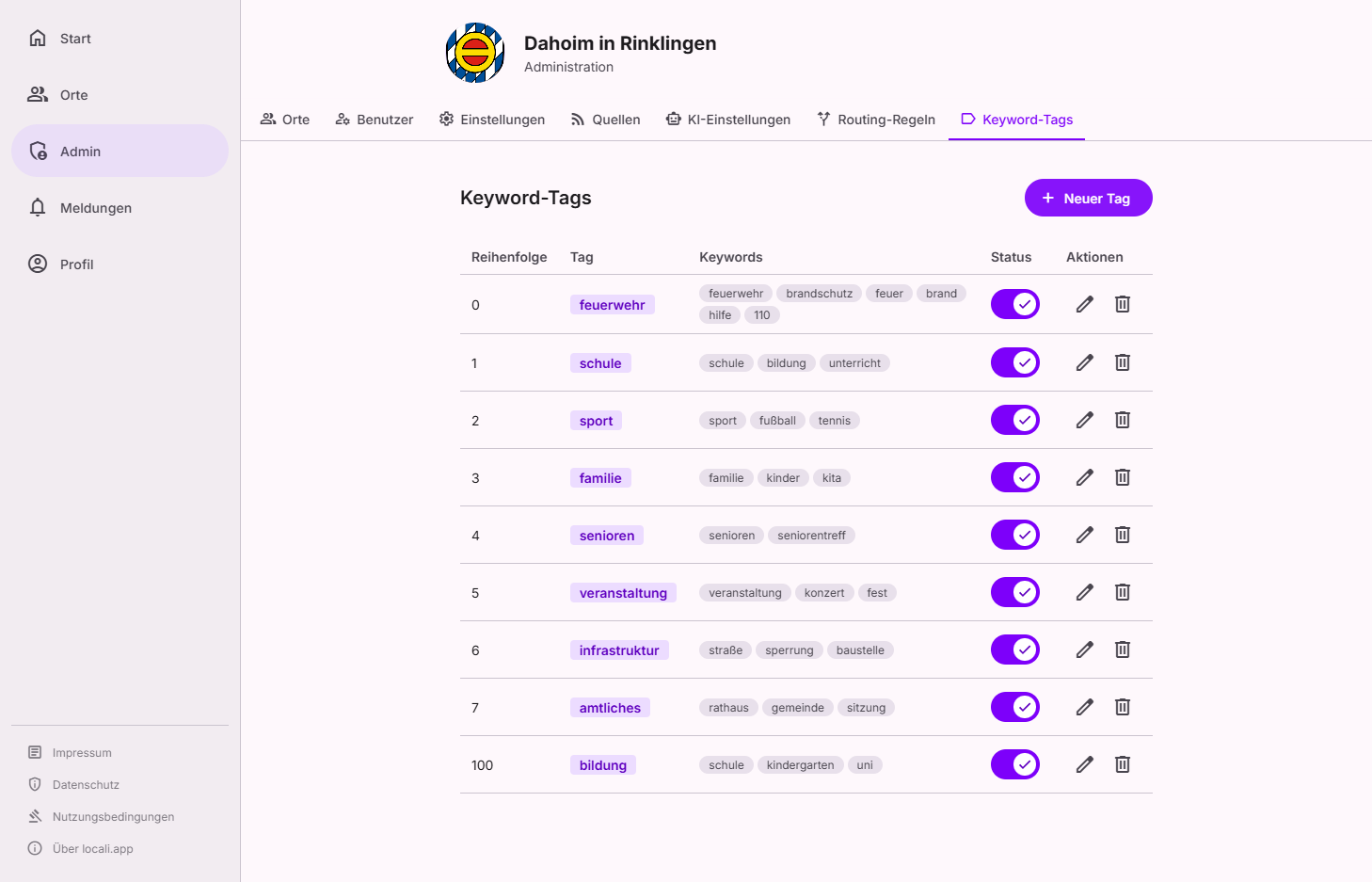
Where to find this
Keyword tags live in the Governance hub under Governance → Routing in the Vocabulary tab (tabs Overview · Rules · Log · Vocabulary) — alongside the Areas.
Roles: hub admins only
The routing vocabulary is changed by hub admins only. Instance moderators correct individual items via the routing log, but do not change rules or vocabulary.
The card list shows all rules with tag name, sort order, and associated keywords. Use the ⋮ menu on a card to edit or delete a rule.
Creating a new rule
Click "New tag" (floating action button, bottom right) to create a new keyword tag rule.
| Field | Required | Description |
|---|---|---|
| Tag | ✅ | The tag assigned when a keyword is found |
| Sort order | ✅ | Rule priority (lower number = higher priority) |
| Keywords | ✅ | List of terms to search for in content (press Enter or comma to add) |
Case sensitivity
The search is case-insensitive. Feuerwehr and feuerwehr produce the same result.
Editing a rule
Click the ⋮ menu on a card → "Edit".
Deleting a rule
Click the ⋮ menu on a card → "Delete".
Interaction with routing
Tags assigned by keyword rules work twice over: spaces collecting a tag receive matching content directly (tag phase of auto-routing), and routing rules can use tags as conditions to add further target spaces.
Relationship to areas and tags
locali uses two distinct classification concepts:
| Concept | Management | Purpose |
|---|---|---|
| Areas | Central, by Hub Admin | Geographic scope |
| Tags | Automatic via keyword rules | Thematic categorisation |
Keyword tag rules define the implicit tag vocabulary of the hub. A tag is considered known as soon as at least one rule uses that tag name.
Tags are not rigid entities
There is no central tag registry. Tags are flexible strings produced by the ingestion pipeline. Deleting a keyword rule does not remove tags already assigned to existing content.
See also: Areas.