Users
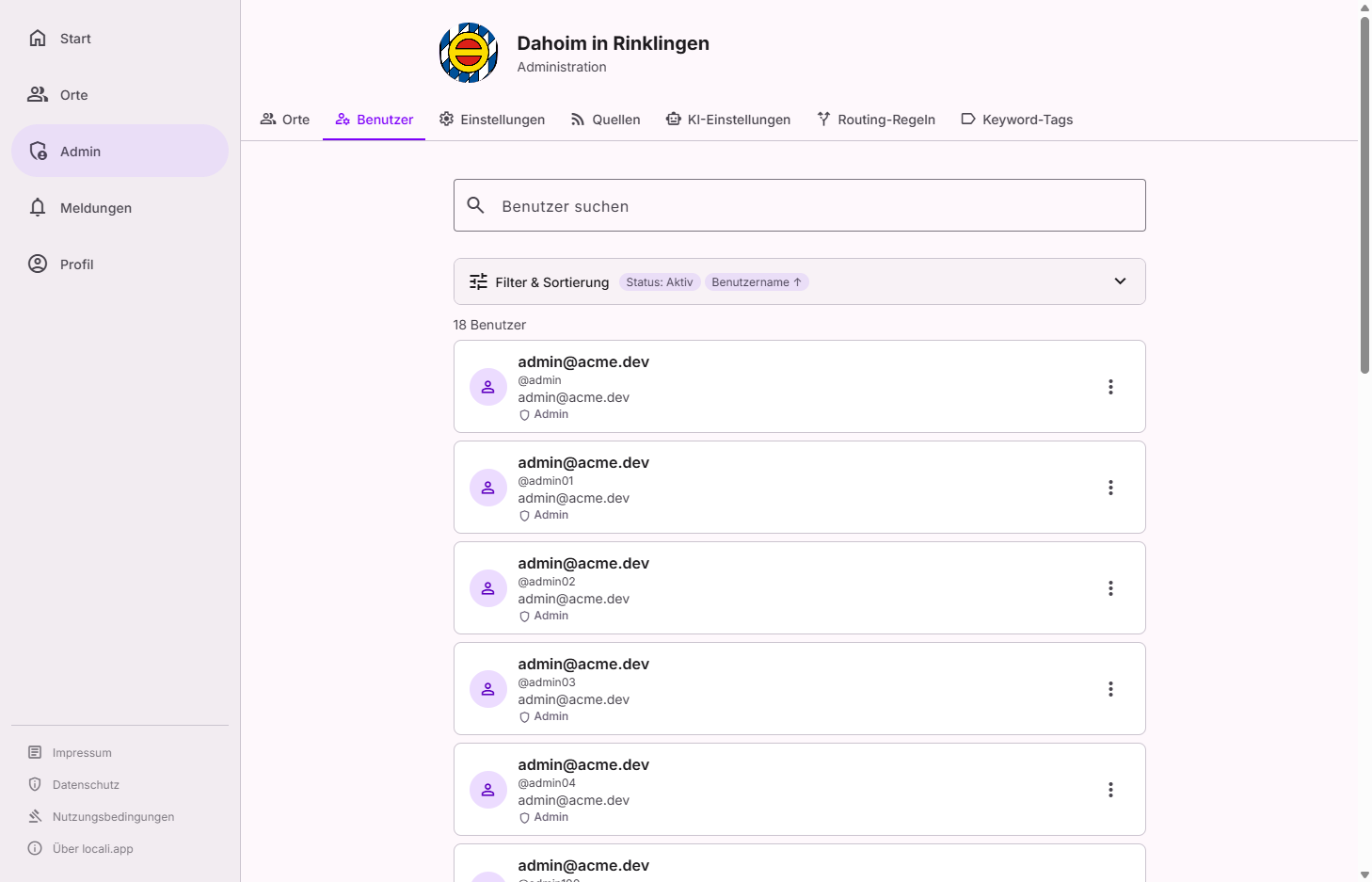
The users area (Governance → Users) is the central place to find and manage the hub's accounts. It is built as a master–detail view: on the left a searchable, filtered list, on the right the details of the selected account with the matching actions.
Roles: who can do this?
Hub admins and instance moderators work in this area: finding, verifying and disabling/enabling accounts. Only admins can change roles (appoint someone as instance moderator or hub admin, or withdraw the role) — and accounts of admins or instance moderators are protected from moderators: actions against those accounts are visible but locked.
Finding & filtering
Search by name or email and narrow the list using facets:
| Facet | Shows |
|---|---|
| All | All registered accounts |
| Admins | Accounts with hub-admin rights |
| Moderators | Accounts with the instance-moderator role |
| Verified | Accounts with confirmed identity |
| Unverified | Accounts without confirmation |
| Disabled | Locked accounts (deliberately set apart, analogous to "archived") |
The detail panel shows a summary of the account — including its instance role (member, instance moderator or hub admin) and the person's space memberships.
Actions per account
Depending on the account's state, the detail panel offers these actions:
| Action | Effect |
|---|---|
| Verify / Unverify | Marks an account's identity as confirmed (or withdraws the confirmation). |
| Change role (admins only) | Sets the account's instance role: member, instance moderator or hub admin — directly in locali, without a detour through Keycloak. Demotions ask for confirmation first. |
| Disable / Enable | Locks an account (no more sign-in) or releases it again. |
Roles now in the app
Instance roles are not granted via Keycloak. Appointing instance moderators and hub admins happens directly in the users area. (The underlying identity is still managed by Keycloak as the identity provider.)
Protection against self-lockout
So that no one accidentally locks themselves out or leaves the hub without an admin, some actions are deliberately blocked:
- You cannot demote your own role and cannot disable yourself.
- The last remaining admin cannot be removed.
- Instance moderators can not disable or otherwise modify accounts of admins or other moderators — staff accounts are only touched by an admin.
These rules are additionally enforced server-side — not only in the interface.
Fully deleting an account (GDPR)
No permanent deletion via this view
Fully deleting an account (e.g. in response to a GDPR deletion request) is handled by a separate process. Disabled accounts initially remain in the database. As the operator you carry the data-protection responsibility for these operations.