Areas
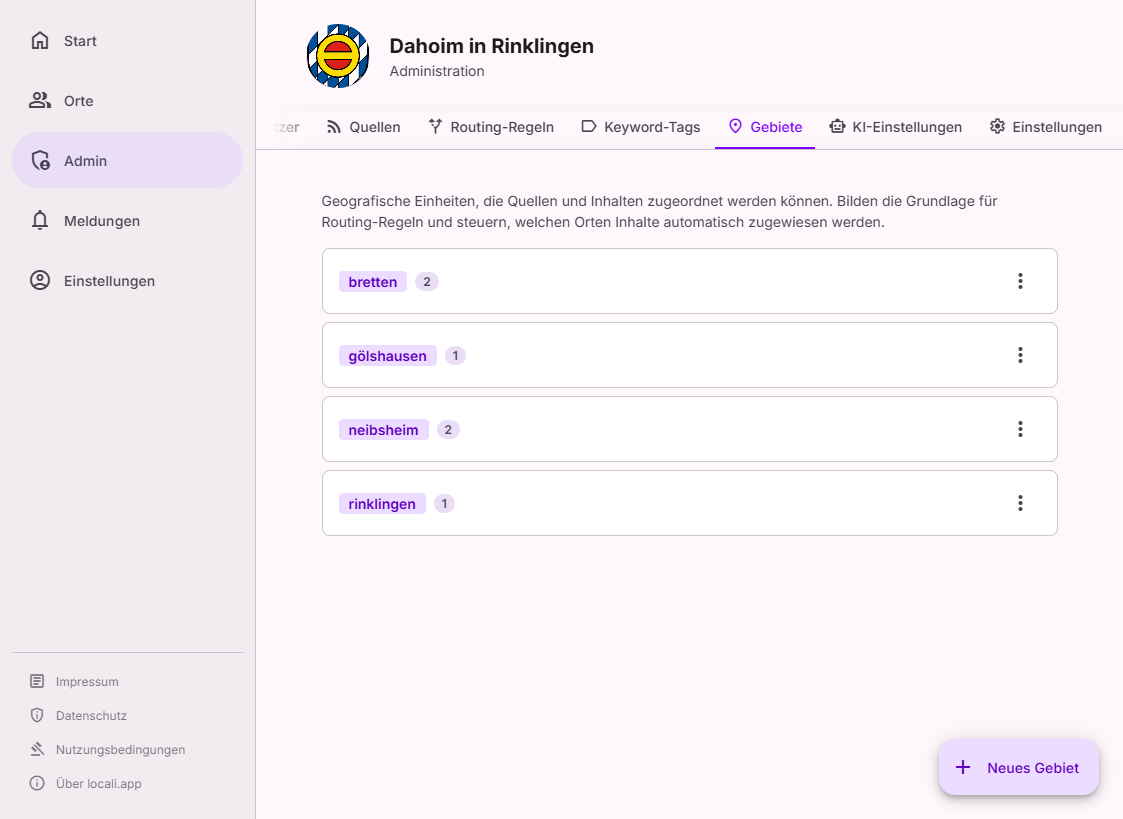
Areas are centrally managed geographic units of a hub. They define the spatial scope of a space or content source and form the basis for content routing.
Where to find this
Areas live in the Governance hub under Governance → Routing in the Vocabulary tab (tabs Overview · Rules · Log · Vocabulary) — alongside the Keyword tags.
Roles: hub admins only
The routing vocabulary is changed by hub admins only. Instance moderators correct individual items via the routing log, but do not change rules or vocabulary.
Why Areas?
Areas are structured concepts — the set is finite and deliberately managed by a hub admin. In contrast, tags are flexible content labels that emerge from the ingestion process and do not need central administration (→ Keyword Tags).
| Property | Areas | Tags |
|---|---|---|
| Management | Central, by Hub Admin | Automatic via Keyword Tag rules |
| Cardinality | Finite, small (typically 10–50) | Open-ended, grows with content |
| Routing-relevant | Yes — determines content delivery | Can be used as a filter criterion |
| Data integrity | Referential integrity via FK | Free strings |
Creating an area
Click "New area" (floating action button, bottom right).
| Field | Required | Description |
|---|---|---|
| Name | ✅ | Unique, immutable identifier for the area |
| Description | ❌ | Optional note for the admin team |
Name is immutable
The name of an area cannot be changed after creation, as it is used as a reference in spaces and sources.
Choose a stable, precise name (e.g. musterstadt-city rather than Musterstadt).
Editing an area
Only the description can be changed after creation. Click the pencil icon next to an area.
Deleting an area
The trash icon permanently removes an area.
Delete protection
An area cannot be deleted while it is referenced by at least one space or source. Before a delete attempt, the UI shows which spaces and sources reference the area.
Usage count
Each area card shows a number indicating how many spaces and sources currently reference the area.
Relationship to spaces and sources
- Spaces can be linked to one or more areas → content with a matching area is routed there directly (area phase of auto-routing).
- Sources can have default areas assigned → every item from that source carries those areas.
- Routing rules can filter on areas → adds further target spaces based on geographic criteria.
See also: Space Settings, Sources, Routing Rules.