Routing Rules
Routing rules are one of several signals that feed the automatic routing: a rule adds one specific additional target space to a piece of content. The areas and tags of a space already route matching content there on their own — a rule only adds to that. It never removes or narrows an existing assignment.
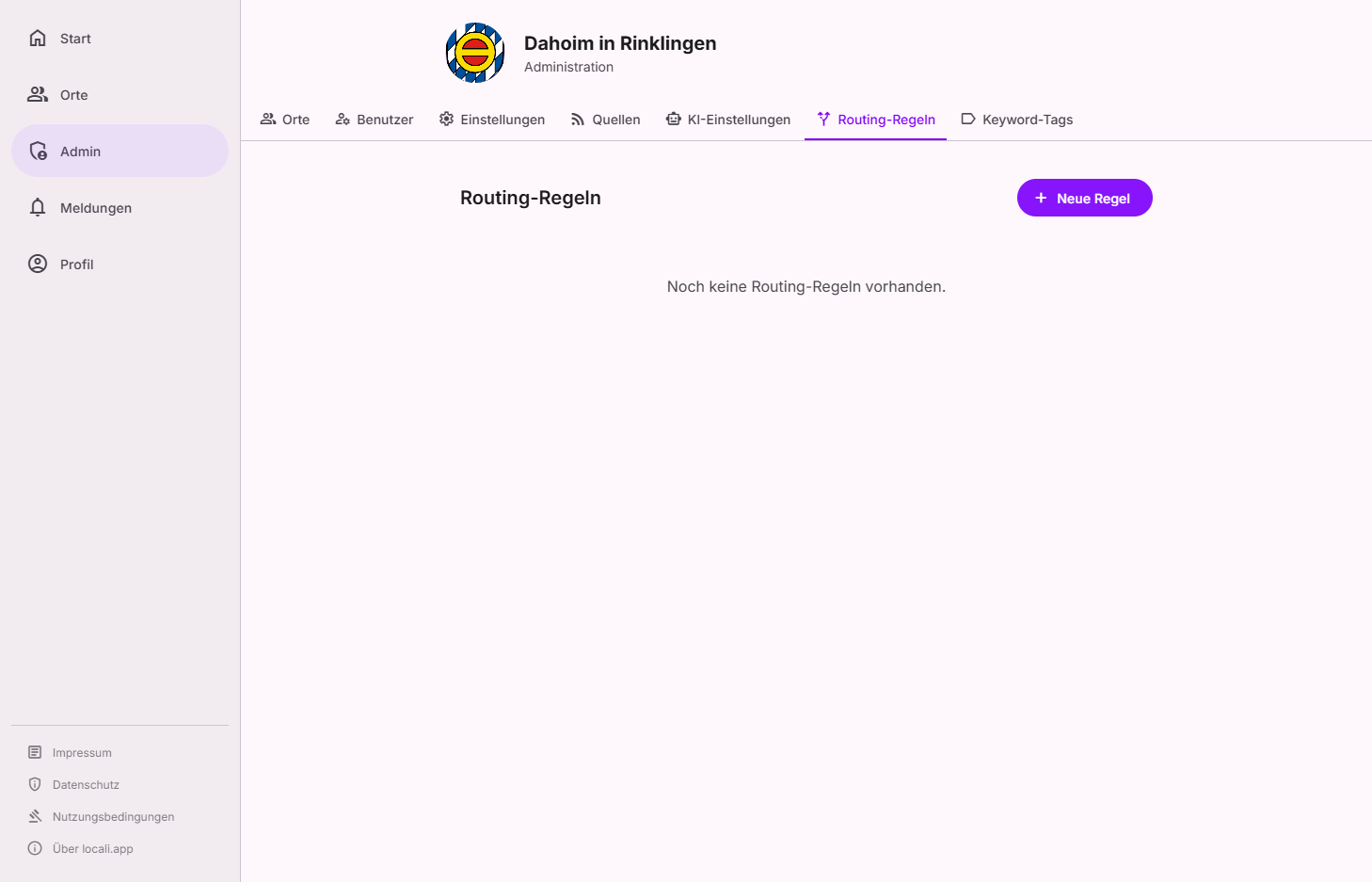
Where to find this
Routing lives in the Governance hub under Governance → Routing (tabs Overview · Rules · Log · Vocabulary). Routing rules are in the Rules tab (labelled "Zuweisungsregeln" there); Areas and Keyword tags belong to the Vocabulary tab. The Log tab lets you look up, for every item, which phase or rule routed it where.
Roles: who can do this?
Instance moderators correct individual items (re-route, re-tag, remove an assignment) and read the log, routing health and coverage gaps. The rules themselves — assignment rules, keyword tags, areas and the guided setup — are changed by hub admins only. Need an admin? Under Governance → Users (facet Admins) you can see who to contact.
Auto-routing: the four phases
On ingestion every item passes through four routing phases — one after the other and purely additively. Each phase can assign an item to additional spaces; no phase removes what another phase has assigned.
| Phase | Signal | What happens |
|---|---|---|
| 1 · Area | Areas of the space | If one of the item's areas matches an area of a space, it is routed there. |
| 2 · Rule | Routing rules | If a rule matches, it adds its target space (see below). |
| 3 · Tag | Tags/interests of the space | If the item carries a tag that a space collects, it is routed there. |
| 4 · AI analysis | semantic similarity | If the item's content matches a space's profile (above a threshold), it is routed there. |
Additive, never subtractive. All matching phases and rules take effect together — an item can therefore appear in several spaces at once. A rule's order (priority) only breaks a tie between rules targeting the same space; it never overrides another rule or another phase.
Match mode: rules vs. areas/tags
Every space has a match mode (areas only, tags only, or both — in the app "Geo-Raum", "Themen-Raum", and "Hybrid — Geo & Themen"). The area phase and the tag phase respect it. Rules ignore the match mode — a rule always routes to its target space, regardless of how the space has set its match mode.
Hybrid combination: OR vs. AND
Spaces in the Hybrid match mode additionally have the setting "Hybrid-Kombination" (in the space's routing area, right below the match mode). It controls how the two profile dimensions — areas and topics — are combined:
| Setting | Meaning |
|---|---|
| OR — area or topic suffices (default) | A post lands here as soon as one of your areas or one of your topics matches. |
| AND — must match area AND topic | A post lands here only if at least one area and at least one topic match. |
Within a dimension it is always OR: multiple assigned areas (or multiple topics) are always alternatives — AND only requires that both dimensions each have at least one match, not that all values match.
The "Sport in Nord" example (area "Nord", topic "Sport"): with OR, every post about Nord and every sport post lands here — with AND, only sport posts from Nord.
Two things to know so AND never surprises you:
- "Almost matched" explanations: when a post narrowly fails an AND space, routing does not hide it. In the space's routing area, the section "Fast getroffen:" (almost matched) honestly explains which dimension was missing — e.g. "area matches, but no topic matches — this space requires both" (and vice versa), or for a purely semantic AI match: "similar in content, but neither area nor topic matches — this space requires both".
- Rules bypass the AND: explicit routing rules (phase 2) are a separate, deliberately authored mechanism with their own AND/OR logic in their conditions — a matching rule always routes to its target space, even if that space's hybrid combination is set to AND. The AI analysis (phase 4), however, can not bypass the AND: a purely semantic match is never enough for an AND space.
AND requires Hybrid
The AND combination is only valid in the Hybrid match mode — with "areas only" or "tags only" one dimension is switched off, and an AND across both could never match. The app then refuses to save with a clear message.
Creating AND spaces the guided way
The assistant "Räume einrichten (geführt)" offers AND spaces as optional intersection spaces ("Sport in Nord") — including a preview of where a sample post would land.
How rules work (phase 2)
In the rule phase, the routing engine evaluates all active rules in sequence (sorted by order, ascending). If a rule's conditions match, it adds the target space defined in the rule — on top of whatever areas and tags already route. Multiple rules can match — content can be routed to multiple spaces.
Creating a new rule
Click "Neue Regel" (New rule — floating action button, bottom right) to open the dialog.
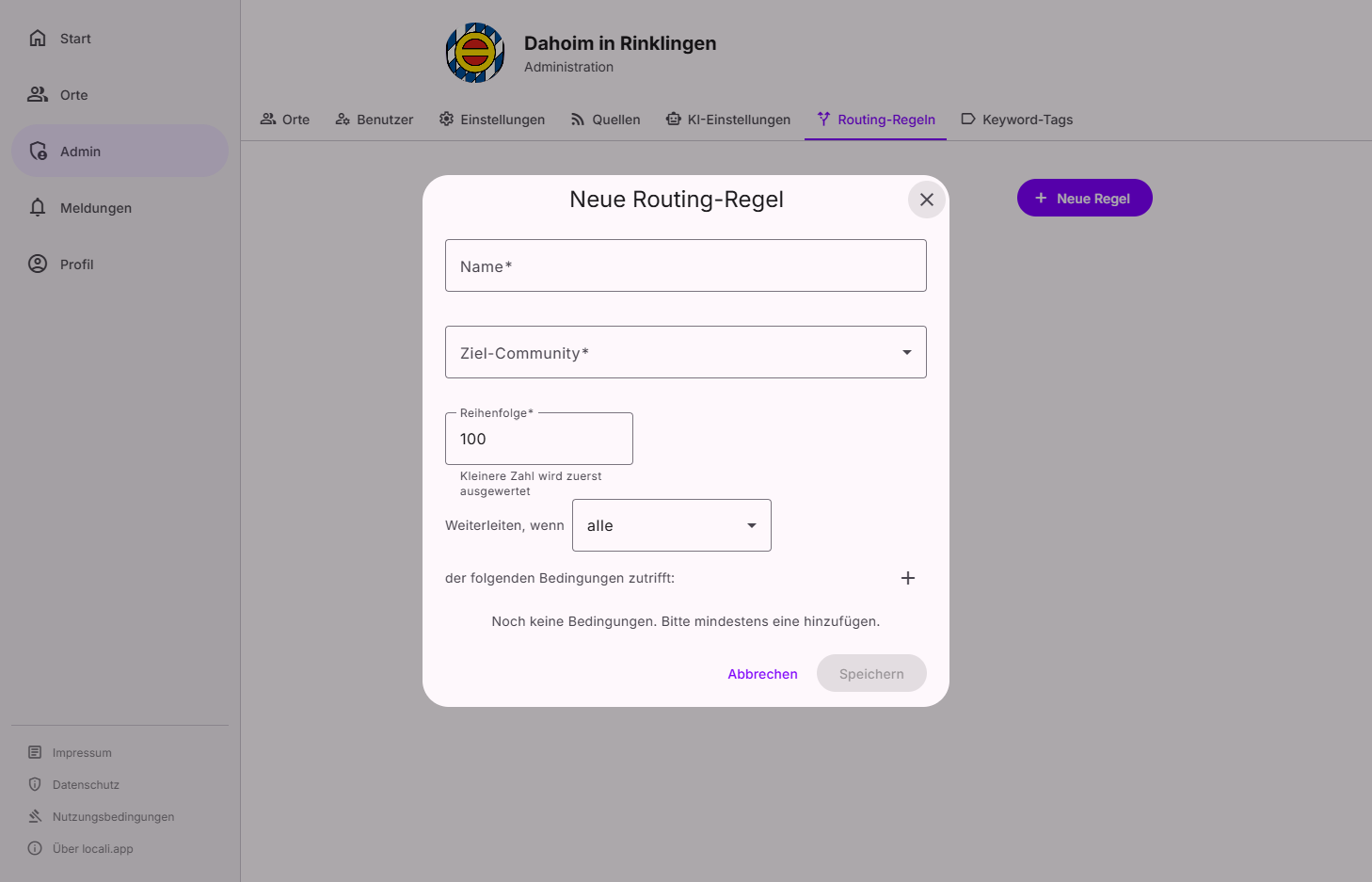
Basic settings
| Field | Required | Description |
|---|---|---|
| Name | ✅ | Descriptive name for the rule (e.g. "Feuerwehr → Weilstadt") |
| Target space | ✅ | The space content is routed to (can only be set during creation) |
| Order | ✅ | Evaluation order — lower number is evaluated first |
Combination mode
The dropdown "Route when … of the following conditions match" controls how multiple conditions are combined:
| Mode | Meaning |
|---|---|
| all | All conditions must match (AND logic) |
| at least one | At least one condition must match (OR logic) |
Conditions
Conditions are added with "+". Each condition has three parts:
When [Field] [Operator] [Value]
Available fields and operators
| Field | Available operators | Possible values |
|---|---|---|
| Tag | Contains, Is, Is not, Is one of, Contains all | Free text input (autocomplete) |
| Item type | Is, Is not, Is one of | Post, Event, Article, Participation |
| Source | Is, Is not, Is one of | Source ID from sources management |
| Trust level | Is, Is not, Is one of, ≤, ≥ | Official, Partner, Community, External |
| Area | Is, Is not, Is one of, Contains all | Area name (autocomplete) |
| Audience | Is, Is not, Is one of | General, Families, Youth, Seniors |
| Priority | Is, Is not, Is one of, ≤, ≥ | Urgent, High, Normal, Low |
Example rules
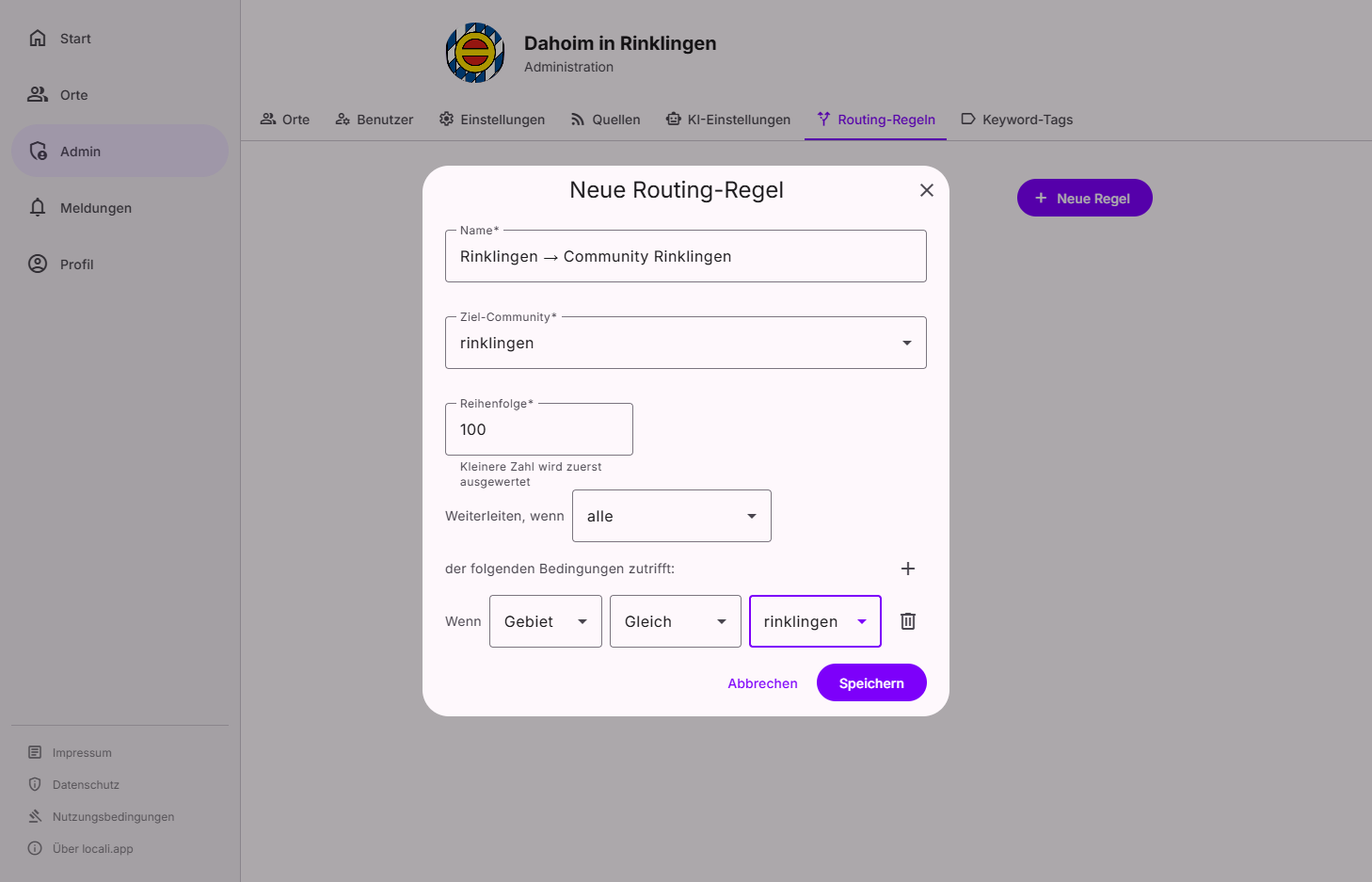
| Name | Field | Operator | Value | Target space |
|---|---|---|---|---|
| Feuerwehr → Weilstadt | Tag | Contains | feuerwehr |
weilstadt |
| Events only for DorfWerk | Item type | Is | Event |
dorfwerk-rio |
| Official content for all | Trust level | Is | Official |
weilstadt |
| Youth news | Audience | Is | Youth |
jugendforum |
Editing a rule
Click the ⋮ menu on a rule card → "Edit". In the edit dialog you can change name, order, mode, and all conditions. The target space cannot be changed after creation.
Disabling or deleting a rule
The ⋮ menu on a rule card also provides "Disable" and "Delete" options. Disabled rules are skipped during evaluation but remain visible in the list.
Re-routing existing content (the "Log" tab)
Routing runs at ingestion time, so a new or changed rule (or changed source tags/areas) first only affects future content. To apply it to already-ingested content, use the Log tab in the Governance hub:
- Narrow it down. Search leads at the top, with the Filter button right behind it (source, space, content type, "unassigned only"); below it you pick the period (7 / 30 / 90 days · all). The two tiles at the top ("Unassigned" and "Over-routed") count over the same period and take you straight into the matching view.
- Pick an action. From a row's ⋮ menu you can re-route a single item (recompute its assignments; manual assignments are kept) or re-tag it (recompute tags/areas from the source's current settings, then re-route).
- Several at once. Tick several items on the left — a bar appears with "Re-route" / "Re-tag" for the whole selection. Items without a source are skipped, not aborted.
Interaction with sources
Default tags and areas configured on a source are applied to every ingested item and are immediately available as routing criteria.
Order and multi-routing
Unlike classic firewall rules, locali does not stop at the first matching rule. All matching rules are evaluated — content can appear in multiple spaces at the same time.